
Protect the TikTok login, its recovery routes, and the payment account before buying Coins. Use independently reached official checkout, inspect every approval, and verify the resulting order and Coin credit. Two-step verification helps, but it does not make a deceptive payment or login request safe.
TikTok Newsroom — Security Checkup controls.
Map the accounts involved in one recharge
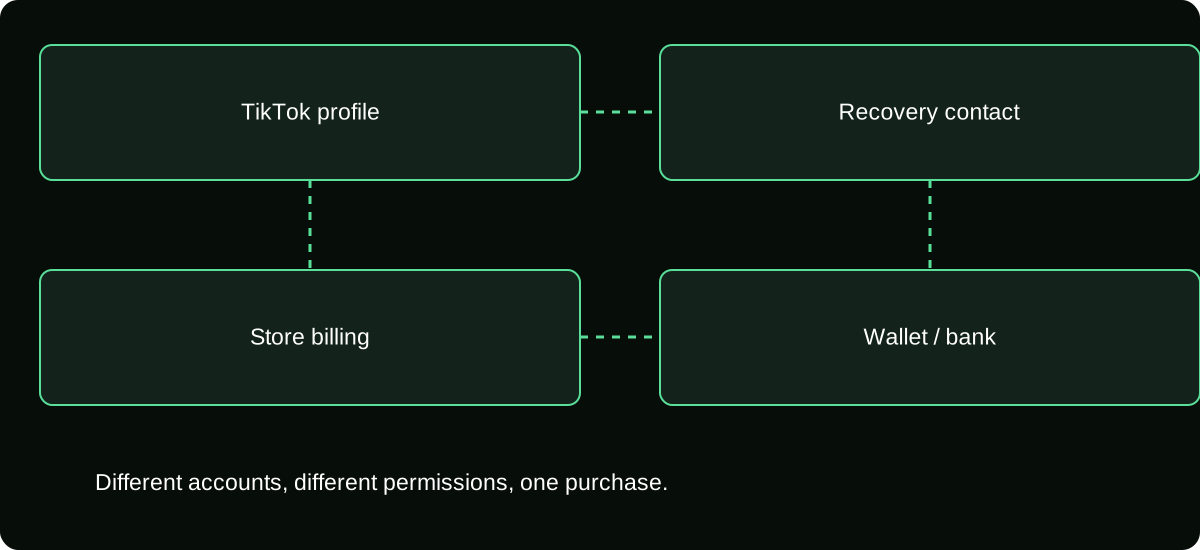
A Coin purchase can involve a TikTok profile, email or phone recovery route, app-store account, wallet, and bank or card. They are connected but not identical. An attacker may target the easiest layer rather than the screen where you see Coins.
List which identity receives the Coins and which account controls billing. On a shared device, check whether a family member can authorize purchases or access stored sessions. A secure TikTok password alone does not determine the store's purchase controls.
For creators, add reward and payout settings to the map. Protecting a viewer purchase should not inadvertently expose the income records, audience access, or payment destinations associated with the same profile.
Review TikTok’s security controls independently
TikTok's official Security Checkup can be reached through profile settings, Settings and privacy, and Security & permissions. Its published guidance covers linked recovery contacts, two-step verification, device review, alerts, and passkeys where supported.
Use a unique password when a password is part of the login arrangement, and make sure the recovery contacts are yours and accessible. Secure the linked email account as well; an attacker who can reset access may bypass improvements made only inside TikTok.
Review unfamiliar devices and account notices through the actual settings. Do not assume that changing a password proves every session and recovery route has been checked. Use the available controls and legitimate help if anything is unfamiliar.
Keep authentication separate from payment authorization
A login code, a QR approval, and a payment confirmation can grant different permissions. Read what each prompt says before approving it, especially when it arrived unexpectedly.
| Prompt context | Question to ask |
|---|---|
| Login on a new device | Did I initiate this sign-in, and is the device correct? |
| Password or recovery change | Did I request this account change? |
| Wallet or card purchase | Is this the intended merchant, amount, and currency? |
| New account connection | What permissions does this grant? |
Do not send a code to a seller or support-looking account. Two-step verification can be defeated socially if you authorize the attack yourself without checking the action.
Enter checkout from a known route
Use the official TikTok app or independently navigate to supported recharge at tiktok.com/coin. Confirm the actual domain and receiving username before entering payment details.
A link in a LIVE comment or private message can copy the branding and offer a convincing price. A familiar logo or secure connection symbol is not proof of the merchant's authority. When in doubt, leave the link and reach the feature through your own account navigation.
For a supported gift card, use the official redemption destination and keep the PIN private. Do not install a “recharge extension” or grant remote access merely because someone claims it is required for your country or payment method.
Secure the billing layer on shared devices
Review the app store or payment provider's purchase authentication and family controls. Choose settings appropriate to who can use the device and account. Do not assume biometric access to the device and authorization of every purchase are the same policy.
Avoid leaving a checkout session open for another person to confirm. If you share equipment for streaming, separate moderator or production access from financial administration where practical.
Keep only the payment information you intend to store under the provider's controls. Removing a saved method may affect future convenience, but it is not a cancellation of a completed purchase and does not secure an already compromised login by itself.
Use a before-payment readback
Say the transaction in full: intended TikTok profile, quantity, final amount, currency, merchant, and funding source. This catches wrong-account purchases and unexpected conversion before approval.
If anything differs from the earlier screen, identify the change. Do not complete a payment merely because a countdown or LIVE event makes it feel urgent. You can pause and buy later if the terms remain unclear.
Choose a spending amount before the session. Where available, Gift limit notifications can help awareness, but inspect how they work rather than assuming they are an automatic hard stop enforced by your bank.
Verify the result after authorization
Save the order reference and inspect the Coin credit on the receiving account. Match quantity and status before starting another transaction. A failed display, pending charge, and completed purchase require different responses.
Review later usage if the balance falls unexpectedly. The purchase receipt explains billing, while Coin history explains platform use. Use both when necessary instead of assuming every difference means someone stole the balance.
Keep private records private. A redacted screenshot can support a case, but public receipts can expose account and financial details and invite people pretending to be the agent assigned to investigate.
Respond to a suspicious event by the affected layer
If you disclosed credentials or approved an unexpected login, secure access and recovery routes, review devices, and use legitimate account help. If payment details or money were exposed, contact the relevant provider about that specific transaction or account.
If a card PIN was revealed, retain the purchase evidence and contact the issuer or appropriate seller promptly. If software was installed from the offer, stop sensitive activity on that device and seek trusted security assistance rather than entering more credentials into the same flow.
Do not pay a recovery service that appears after your complaint. The actual platform or payment provider should be reached independently, and no outsider's guarantee establishes a refund or restoration right.
Keep a repeatable routine rather than relying on one setting
Review security after unusual activity, device changes, recovery changes, and relevant payment incidents. You do not need an invented platform-mandated schedule; you need a routine you can actually maintain.
The strongest habit is checking what each approval does. A well-protected login can still be used to authorize an unwanted purchase, and a legitimate payment method can still fund a deceptive seller. Protect the account and evaluate the transaction as separate tasks.
Before the next recharge, confirm the account map, official destination, budget, approval details, and expected credit. That short sequence is more useful than trusting a single badge, a large follower count, or a claim that one security switch makes Coin purchases risk-free.
Frequently asked questions
What should I do before giving away or selling a device used for recharge?
Review account sessions and remove personal access through the legitimate account and device procedures. Do not assume deleting one app removes every store, wallet, browser, or recovery connection on the device.
Can I store recovery information in the same shared production folder as receipts?
Restrict sensitive recovery material more tightly than routine editorial documents. A collaborator who needs an order record should not automatically gain the information needed to recover or take over the account.
Should I approve a payment prompt that appears after checkout is closed?
Check the actual order and provider state independently before approving anything. A delayed prompt should still match a purchase you knowingly intend, not simply a message someone says you must accept.
Sources and scope
- TikTok Newsroom — Security Checkup controls
- TikTok Help — Gifts, purchase routes and supported gift-card redemption
- TikTok Help — Gift limit notification