
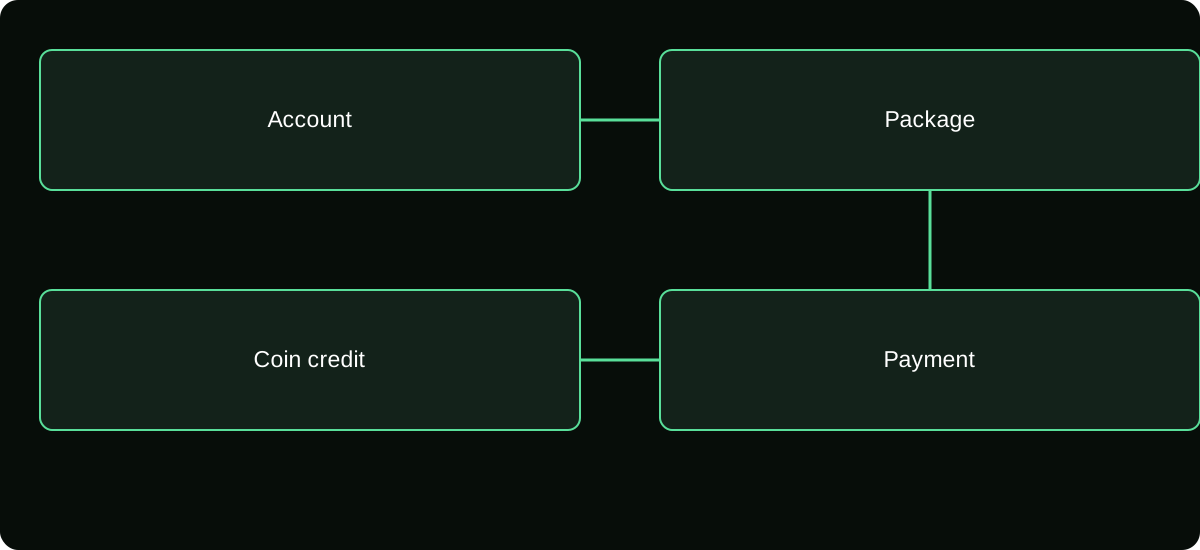
To buy TikTok Coins, sign into the intended account, open its Balance or official recharge page, choose an available package, and approve the displayed payment. Confirm the Coin credit before using Gifts or placing another order.
TikTok Help — Gifts, purchase routes and supported gift-card redemption.
Choose the account and purchase route first
Start outside a fast-moving LIVE if you are buying for the first time. Confirm your username on the TikTok profile and decide whether you will purchase through the app or, where supported, the official website. This separates the payment decision from the pressure of an on-screen event.
Check that you meet the applicable age and location requirements. Do not borrow an adult's account, falsify a birthday, or use a different billing country to make a disabled option appear. A payment method being available on the device does not override TikTok's eligibility rules.
Have access to the payment receipt account as well. The TikTok profile receives the Coins, while an Apple or Google account may hold the billing record. These can be different identities, so record both deliberately.
Buy through the TikTok app
- Open TikTok and confirm the receiving profile. If you manage several accounts, check the username rather than relying on the profile picture alone.
- Open Profile, then the menu, and find Balance. Labels such as Get Coins or Recharge can vary; select the Coin purchase option offered there.
- Review the available quantities and the final price in the displayed currency. Pick the quantity you intend to use rather than the largest promoted package.
- Open the payment sheet and inspect the merchant or app-store details, selected payment source, and total. Complete only the normal authorization requested by that payment provider.
- Keep the receipt or order confirmation, then return to the same TikTok account and inspect its Coin balance or purchase activity.
You can also encounter recharge inside a supported gifting interface. The same checks apply, but a quiet account-balance screen is usually easier for a first purchase because you can review the details without missing a stream moment.
Buy on the official website where available
Enter tiktok.com/coin yourself or reach recharge from TikTok's own navigation. Confirm the exact destination before signing in. A search ad, shortened link, or creator biography is not proof that you reached official checkout.
Once signed in, inspect the receiving username and available packages. If the site offers a custom amount, read its permitted range and final price; do not assume the package options match the mobile app. Choose an available payment method and complete its normal authentication.
After approval, retain the web order information. Check the credited account in the app or supported balance interface. If web recharge is unavailable for you, use an offered official route instead of a reseller promising to bypass the restriction.
Read the price in the correct unit
The number beside a package is the quantity of Coins, while the payment sheet gives the ordinary-currency price. The two are not interchangeable. Before you confirm, say the purchase in a complete sentence: “I am paying this amount in this currency for this many Coins on this account.”
That simple readback catches a wrong quantity, unexpected currency, or account switch. If the final total differs from the earlier screen, pause and identify the reason rather than assuming it will be corrected after payment.
For a cross-currency purchase, check your card or wallet's conversion treatment. A price shown in one currency can produce a different statement amount after conversion or provider fees. Compare like-for-like totals when evaluating web against in-app purchase.
Distinguish approval, billing, and Coin delivery
These are separate stages. A security code can authorize a payment attempt without proving successful delivery. A bank notification may describe a pending authorization rather than a completed charge. A completed purchase should have a matching order and Coin credit.
| What you see | What to do next |
|---|---|
| No confirmed order, no charge | Review the failure before another attempt |
| Pending payment, no Coin credit | Check the payment status; avoid immediately duplicating the order |
| Completed order, missing Coins | Save the order ID and investigate delivery on the receiving account |
| Coins credited correctly | Keep the receipt and proceed with the intended feature |
Do not repeatedly recharge as a way of forcing the first credit to appear. Multiple successful orders can arrive later and create a different problem from the original delay.
Keep a purchase record you can actually use
Save the date and time, username, package quantity, billed amount, currency, merchant, and order identifier. A screenshot can help, but a cropped bank notification usually lacks the details needed to match the TikTok order.
Keep private details out of public comments. Support may need an order reference, but another viewer does not need your card number, account password, or one-time authentication code. When sharing a receipt screenshot, redact unrelated personal and payment information.
If someone else authorized a family payment method, record what was purchased before assuming a charge is fraudulent. When nobody authorized the transaction, treat it as a separate payment-security issue and contact the relevant provider promptly.
Know when to stop and seek the correct help
Stop if checkout names the wrong account, the payment has already been completed once, or the screen asks you to move to a stranger's private chat. Correct the account or delivery issue before starting another transaction.
For an Apple-billed order, Apple's receipt and support route are important. For Google Play, retain the Play order and follow TikTok's applicable purchase policy and Google's support instructions. Direct web orders require the TikTok order information. The device you held does not by itself identify who billed you.
If your goal is a Gift, inspect its actual Coin charge after the balance is correct. Purchasing Coins does not send a Gift automatically, and it does not guarantee that gifting is enabled in the LIVE you plan to watch.
Make the first recharge a controlled purchase
Start with a quantity that fits your entertainment budget and intended activity. Verify every stage once so you know what a normal receipt and credit look like. That knowledge is more useful than memorizing someone else's package screenshot.
Use current TikTok instructions for supported recharge routes and keep the regional Virtual Items Policy available when reviewing age, use, and refund conditions. The steps above describe official purchase verification; they do not require giving a third party access to your account.
Frequently asked questions
Can a payment sheet stay open after I switch TikTok accounts?
Do not rely on the new screen to identify the earlier order’s recipient. Leave any unapproved checkout, confirm the intended profile, and inspect existing order status before opening another purchase.
Should I save my payment method on a shared device?
Consider who else can use the device and the store account. Use the payment provider’s purchase authentication controls and avoid leaving an accessible checkout session for another person.
Does deleting and reinstalling TikTok complete a pending purchase?
Reinstallation is not proof of payment completion. Preserve the receipt and account details first; investigate the order state rather than treating app installation as a billing remedy.
Sources and scope
- TikTok Help — Gifts, purchase routes and supported gift-card redemption
- TikTok Virtual Items Policy — United States
- TikTok Virtual Items Policy — rest-of-world scope stated on the page