
Compare the official website and in-app checkout for your own account using the same Coin quantity and final payable amount. The website may offer a different quote, but a fixed worldwide saving or identical payment availability should not be assumed.
TikTok Virtual Items Policy — United States.
Compare a purchase you actually intend to make
Choose the quantity needed for your planned activity before opening both channels. Otherwise, a larger web package may appear cheaper per Coin while requiring more total spending than a smaller app package.
Confirm the same TikTok account on both surfaces. A quote for one country or profile should not be used as proof of what another account can buy. Keep the currency and time of comparison visible as well.
Do not compare a checkout today with an old screenshot from a different package. A meaningful comparison is a contemporaneous quote available to you, with all relevant charges identified, rather than a headline promising a universal percentage saving.
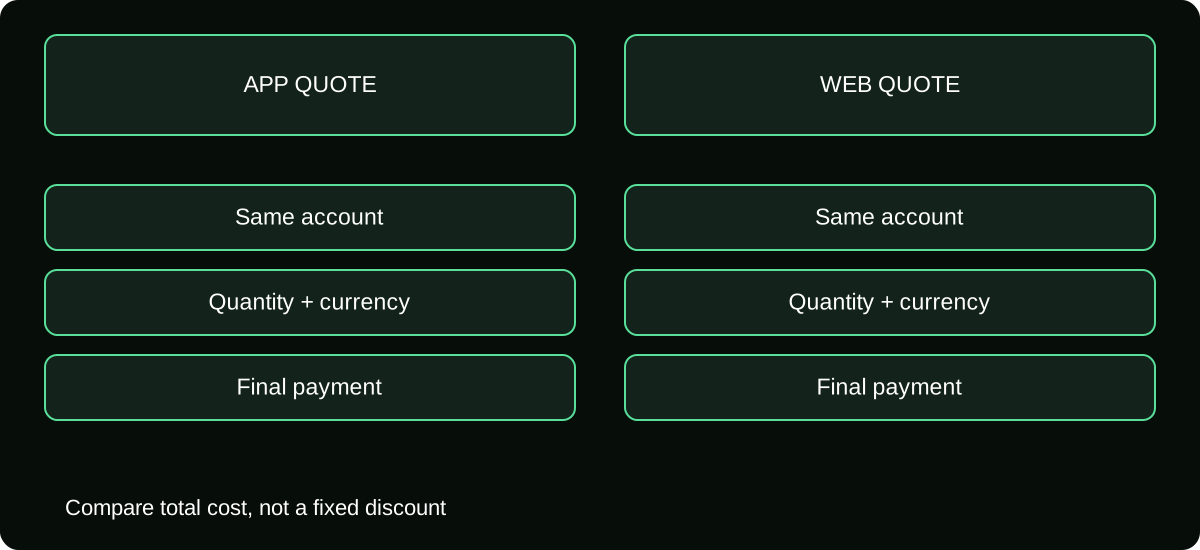
Calculate the quoted unit cost correctly
Use this calculation for each available option:
quoted cost per Coin = final checkout amount ÷ Coins included
Then multiply by your planned Coin use only when you are estimating consumption cost. Your actual purchase may require a package larger than that use, leaving an unused balance. Record the amount paid and the Coins left rather than pretending only the consumed amount was charged.
| Field | In-app quote | Official web quote |
|---|---|---|
| Receiving account | Record username | Confirm same username |
| Included Coins | Copy quantity | Copy quantity |
| Displayed currency | Copy currency | Copy currency |
| Final amount | Capture at authorization | Capture at authorization |
| Separate provider charges | Check your payment source | Check your payment source |
If quantities differ, present both the unit price and the total outlay. The lower unit price is not automatically the better choice for a small budget.
Separate checkout price from payment-provider conversion
A website may quote in a currency different from your card's billing currency. The payment provider may offer its own conversion, or your issuer may convert the charge. Inspect the actual option and terms rather than assuming the displayed foreign amount is the final statement total.
Where two quotes use different currencies, compare the expected total in your budget currency using the rate and fees your provider actually offers. Do not borrow a generic exchange rate and call the result guaranteed.
Keep the comparison honest about what is known. A checkout total is observable; a future bank conversion may still be uncertain. Label the latter as an estimate until the statement posts instead of hiding it inside an exact-looking savings figure.
Understand who bills each route
In-app purchases may be handled by a supported app store. Direct website checkout can create a TikTok order using an available payment method. The difference matters when you need receipts, delivery help, or refund review.
The device itself is not the billing route. A purchase made through a browser on a phone can still be a direct web order. Likewise, a card charged inside an app-store payment sheet does not become a direct TikTok card purchase simply because you recognize the card.
Before authorization, identify the merchant and where the order record will be available. A slight price difference may matter less to you than a billing route you can reliably manage, especially on a shared device or family payment account.
Check supported payment methods at the actual checkout
Cards, wallets, or other payment options depend on country, account, channel, and the payment provider. A method shown in a tutorial is not proof that it is offered for your Coin purchase today.
If PayPal appears, examine whether it is a direct web checkout option or part of the store's billing setup. These are different payment relationships, even when the same funding source ultimately pays.
Do not use a reseller because the preferred official method is missing. First decide whether another offered payment source fits your needs. If none does, stopping is a valid result; a private seller cannot establish that an unsupported payment path is authorized.
Compare refund and support implications before paying
Refund treatment depends on merchant, regional terms, use, and the actual reason for the request. A cheaper quote does not establish a broader cancellation right, and an app-store receipt does not guarantee approval.
Read the applicable terms on each route if reversibility matters. Distinguish a change of mind from a defective delivery or unauthorized payment. The information you need after an issue begins should be visible before purchase, not discovered through a seller's promise.
For an Apple-billed order, Apple's refund process is relevant. TikTok's applicable terms describe a Report a problem route for Google Play Coin requests. Direct purchases need the direct order evidence. Preserve those differences rather than sending every problem to the same generic form.
Complete only one purchase after the comparison
Once you choose a route, close or leave the other checkout without authorizing it. Two open payment sheets can make it easy to buy twice, particularly when one result takes time to appear.
After paying, verify the order and Coin credit before you return to the alternative channel. A delay on one surface is not an instruction to purchase the same package on the other. Check pending versus completed status first.
Save the final selected quote and receipt. If you later evaluate whether the decision saved money, use the posted payment information and actual Coin quantity. A promotional banner by itself is not a financial record.
Make the decision from total value, not a slogan
The useful choice considers quantity, total spending, payment suitability, evidence quality, and support route. It does not require declaring one channel the winner for every user.
TikTok's Virtual Items Policy says Coin cost can differ with how many and where you buy. That supports comparing your quotes, not inventing a permanent discount. Use the official app and tiktok.com/coin where available, and keep account and region conditions unchanged throughout the comparison.
If a web quote is genuinely better for the purchase you need, use that evidence. If the app route is more suitable or the website is unsupported, choose the available option that meets your requirements without misrepresenting your location or account details.
Frequently asked questions
Can I compare a promotional quote with an ordinary package?
Record the promotion’s eligibility, included quantity, and restrictions separately. A personally available limited offer can be relevant to your decision without establishing the normal price for everyone.
Does an official web purchase put Coins on a separate web-only balance?
Confirm the receiving account and its resulting Coin credit. Do not assume a different checkout means a different profile; account identity is the important matching detail.
Should I round the unit price before comparing packages?
Keep sufficient precision during the calculation and round the final comparison appropriately. Repeated early rounding can hide a small difference; the executed checkout total remains the amount you authorize.
Sources and scope
- TikTok Virtual Items Policy — United States
- TikTok Virtual Items Policy — rest-of-world scope stated on the page
- TikTok Help — Gifts, purchase routes and supported gift-card redemption