
You can use PayPal for a TikTok Coin purchase only when it is offered and supported by the checkout or billing route available to your account. Check the actual payment options; availability should not be assumed for every country, device, or purchase.
Apple Support — payment methods by country or region.
Identify which PayPal relationship you mean
PayPal can be relevant in more than one way. It may appear as an option in a supported direct checkout, or it may fund a supported app-store account that handles the in-app purchase. Those arrangements are different even if both ultimately charge the same PayPal account.
A creator receiving a payout through PayPal is a third and separate situation. Seeing PayPal in a creator withdrawal guide does not prove it is offered for your viewer-side Coin purchase.
Start by naming the task: buying Coins through the website, buying through a store, or receiving creator rewards. Use instructions for that task rather than moving money to a private PayPal address supplied in a stream.
Check the official web checkout
Open tiktok.com/coin independently where supported, sign into the intended profile, and select an available Coin quantity. Inspect the payment methods shown for that purchase and account.
If PayPal appears, select it through the legitimate checkout and review the merchant, amount, currency, and funding source in the provider flow. Complete only the authentication associated with the purchase you initiated.
If PayPal does not appear, do not assume it is hidden behind a paid activation. Country, account, provider support, and the selected channel can affect the options. You can choose another legitimate method offered or decide not to proceed.
Check the in-app billing route separately
For an app-store purchase, inspect which store account is billing you and what payment methods that store currently permits in your location. A funding source supported for one country or account may not be available for another.
Do not expect TikTok's payment screen to let you edit a store's billing configuration. Manage that configuration through the store's legitimate account settings, then return to the intended TikTok purchase.
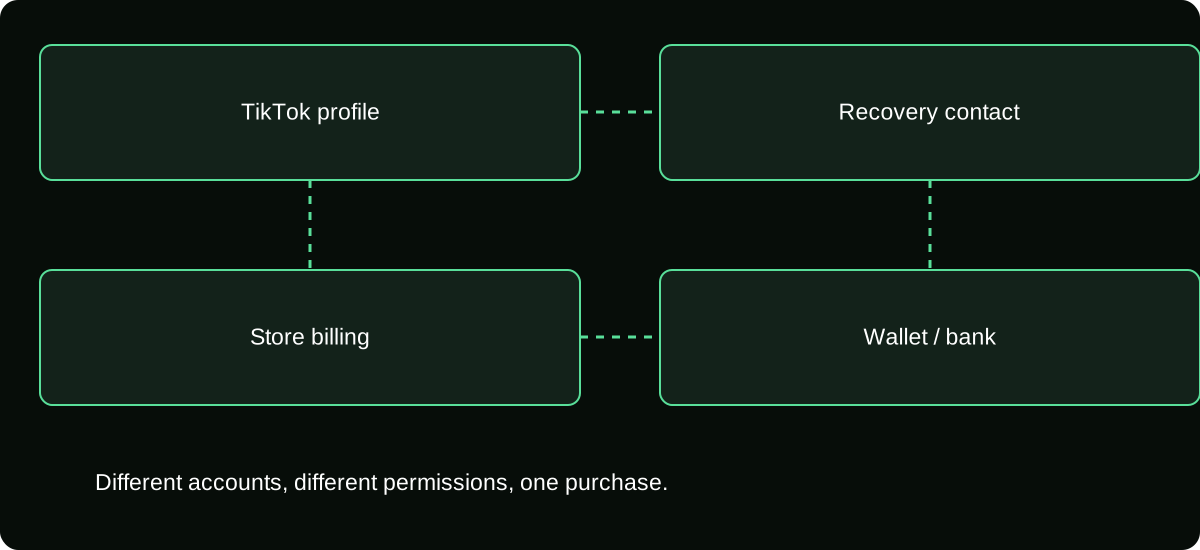
Keep the identities separate: TikTok profile, store account, PayPal account, and funding source. A mismatch at one layer can explain a failed payment or a receipt you cannot find. Changing the TikTok username does not resolve a restriction in the billing account.
Confirm the amount and currency before approval
Read the final price and the currency actually presented for authorization. When conversion is involved, inspect who performs it and any relevant provider charges. Do not assume a dollar-looking quote is the final amount your bank will show in another currency.
| Layer | What to verify |
|---|---|
| TikTok purchase | Receiving profile and Coin quantity |
| Merchant or store | Entity handling the order |
| PayPal approval | Merchant, total, currency, and intended action |
| Funding source | Selected card or balance and any relevant conversion |
| Final evidence | Order receipt and corresponding Coin credit |
This record is more useful than a screenshot showing only the PayPal logo. A logo establishes neither the merchant nor the details of what you authorized.
Complete one payment and verify delivery
After approval, return to the official purchase flow and look for its order result. Retain the PayPal transaction information and the merchant or store order reference. They can help trace different parts of the same purchase.
Inspect the receiving TikTok account's Coin balance and history. A PayPal activity entry does not, on its own, establish that the expected Coins arrived. If delivery is missing, match the order before paying again.
When an error occurs during a redirect, check status rather than clicking the payment control repeatedly. A delayed page can coexist with an authorized or completed transaction. Multiple attempts can create multiple charges if you assume every display problem means nothing happened.
Diagnose a missing or failing PayPal option
If the option is absent, confirm the actual checkout and account location without changing personal information to mimic another market. If the option exists but approval fails, inspect PayPal's account notice, available funding, and the merchant's error.
For a browser problem, reopen the official flow in a supported browser and allow the legitimate confirmation steps it needs. Do not disable security protections indiscriminately or install an extension supplied by someone claiming it is necessary for Coins.
If an order is pending, ask the relevant provider about its state. If it completed without credit, use a missing-delivery case. These are different questions, and switching to a card without documenting the first attempt can leave both unresolved.
Route a refund or dispute by the actual merchant
PayPal being the funding method does not automatically make it the only place to request a Coin refund. Inspect who sold or billed the purchase and the applicable TikTok, app-store, and payment-provider terms.
For an Apple-billed order, Apple's purchase-review route remains relevant. TikTok's applicable policy describes its own support route for certain Coin requests, including Google Play. A direct web order needs the direct order information.
If you contact PayPal about a genuine payment problem, accurately disclose any merchant refund or ongoing case. Do not describe a known, intentional purchase as unauthorized merely because you later regretted spending. Different claim types have different facts and requirements.
Reject private “PayPal recharge” offers
An unknown seller asking you to send money to their PayPal account is not the same as selecting PayPal at official checkout. Their promise may involve unsupported resale, stolen payment sources, or a request for your account access.
Do not send a login code, approve an unexpected login, or transfer a second payment to “verify” the first. A private invoice with TikTok imagery does not prove a supported Coin-delivery relationship.
The safe decision rule is specific: use PayPal only within a legitimate route actually offered for your purchase, verify the order, and check the Coin credit. If your preferred method is unavailable, do not turn that limitation into permission to trust a stranger with the payment and your profile.
Frequently asked questions
Can I pay a creator’s PayPal address instead of buying Coins?
That would be a separate off-platform payment, not a TikTok Coin purchase or official Gift. It has different evidence, rules, and risks and should not be represented as a recharge.
Does unlinking PayPal cancel a purchase already made?
Changing a stored payment connection is not proof that a completed order was cancelled. Review the particular transaction and the applicable merchant process.
Will using PayPal keep the purchase out of my Coin history?
Do not assume a funding method hides the resulting platform activity. The payment record and Coin ledger describe separate parts of the transaction.
Sources and scope
- Apple Support — payment methods by country or region
- Google Play Help — accepted payment methods by country
- TikTok Help — Gifts, purchase routes and supported gift-card redemption
- TikTok Virtual Items Policy — United States
- TikTok Virtual Items Policy — rest-of-world scope stated on the page