
Open the account’s Balance and Coin-management area, then use the history or transaction control available there. Match the entry to the receipt from whoever billed you. Purchase history, Coin usage, and creator payouts answer different questions.
TikTok Virtual Items Policy — United States.
Identify the record you actually need
If you want to know what you paid, start with the purchase transaction and billing receipt. If you want to know where Coins went, inspect the Coin usage entries. If you are checking creator income, use rewards and payout records rather than a viewer's spending ledger.
TikTok's current policy distinguishes Transaction History, which describes money spent to buy Coins, from Coin History, which describes quantities purchased and used. Interface labels can vary, so examine the fields shown rather than relying on a familiar word alone.
A useful first question is “am I matching money, Coins, or a reward payment?” Write that unit above your notes. It prevents adding a dollar charge to a Coin deduction and calling the resulting mismatch a missing balance.
Open the account’s transaction controls
Begin with Profile, open the menu, and select Balance. Enter the Coin area and look for a history icon, transactions list, or purchase-history control shown in your version. Use any available type and date filters to narrow the task.
On an official web purchase surface, inspect the account and any transaction-history option presented there. Do not assume a web view exposes every creator payout or every in-app billing detail. The merchant's receipt can be the more complete evidence for the monetary charge.
If a menu differs from a tutorial, consult current in-app help. Avoid clicking a stranger's link offering a “full account ledger export.” Your history is private account information, and access should remain within an authorized account and support process.
Match the order to the billing provider
Check the merchant on the receipt, not just whether the phone was an iPhone or Android device. A browser purchase on the same phone can be billed differently from an app-store purchase.
For an Apple receipt, use the Apple Account associated with the order. For Google Play, inspect the relevant Google account and its order history. For direct TikTok checkout, keep the direct order reference. A family device may have more than one relevant account.
Save the original receipt privately. A bank statement is useful to establish the charged amount and posting date, but it may omit the Coin package and order details needed to locate delivery. Use the statement and order record together rather than substituting one for the other.
Build a compact matching table
| Field | Why it belongs in the record |
|---|---|
| TikTok username | Identifies the intended receiving profile |
| Merchant and billing account | Identifies where the receipt or refund belongs |
| Order identifier | Separates similar purchases made close together |
| Quantity credited | Connects money paid with a Coin addition |
| Activity time and timezone | Helps compare app, email, and bank timestamps |
| Status | Distinguishes pending, completed, refunded, and unresolved entries |
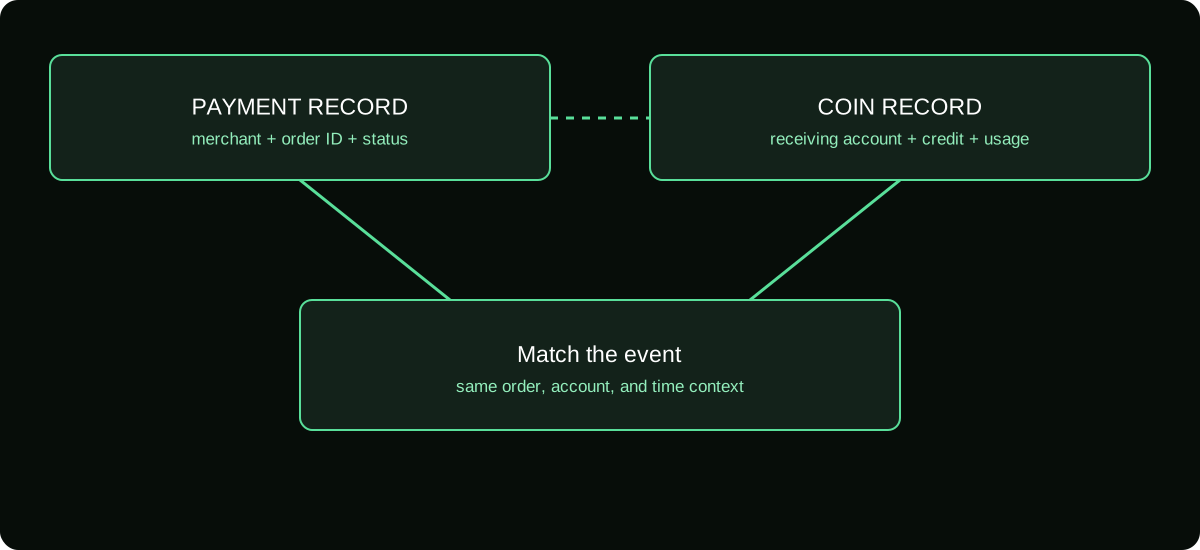
An order ID is a stronger matching key than amount alone. Two identical packages can have the same price, and a conversion or tax line can make an order total differ from a payment notification.
Do not store full card details in this table. You need enough evidence to match the event, not a new collection of sensitive credentials.
Explain date and amount differences carefully
The date a bank posts a charge can differ from the moment you initiated the purchase. An app may also display local time while another record uses a different timezone. Preserve the original timestamps before concluding that they describe different orders.
For money, compare the currency and whether the amount includes charges shown at checkout. If a provider applies currency conversion separately, capture that transaction as part of the payment evidence without treating it as another Coin package.
Do not force every slight amount difference into a “TikTok fee.” Identify the actual source: merchant total, provider conversion, bank charge, or another order. A transparent note that an item remains unexplained is more useful than inventing a percentage to reconcile it.
Use the usage ledger to explain remaining Coins
Once the purchase is matched, inspect the subsequent uses that changed the balance. Gifts, eligible services, refunds, or other documented adjustments can affect the total. Include only entries that you can identify.
When a deduction seems unfamiliar, record its type, quantity, and time. Compare with the LIVE or feature you used around that period. A visible Gift animation or creator thank-you is not an adequate substitute for your own activity record.
If you cannot reconstruct the opening quantity, avoid presenting a calculated ending quantity as certain. Tell support which entries you can verify and where the missing evidence begins. Reconciliation is a method for explaining history, not permission to fill gaps with assumptions.
Recognize duplicate records without hiding duplicate charges
A pending authorization and a completed charge can appear as two lines in a payment app. They might describe the same attempted purchase at different stages. Conversely, two completed orders can be two real purchases, even if they have identical amounts.
Compare identifiers and status before adding totals. If both payments completed but only one Coin credit exists, preserve both receipts and identify the unmatched order. If an authorization is still pending, ask the payment provider about that status rather than demanding a refund of a purchase not yet completed.
Do not delete inconvenient records or repeatedly submit the same claim with different explanations. A consistent timeline gives the merchant or store a clearer investigation path.
Turn the history into a useful support submission
State the task and mismatch in one sentence: “Order X was billed for this quantity, but I cannot find its Coin credit on account Y.” Follow with the relevant dates, status, and attached evidence.
For an unexpected deduction, state that you are questioning a usage entry rather than the original recharge. For an approved refund not yet reflected, provide the approval reference as well as the original order.
Keep a case log with the support reference and response. When the matter is resolved, preserve the explanation with the records so a later bank posting or adjustment does not look like a new unexplained transaction. Your goal is a traceable chain from the payment to the account activity.
Frequently asked questions
Can my history replace an invoice for accounting?
Not automatically. Use the billing document required for your records and retain the activity history as supporting evidence. The fields needed depend on your accounting and local requirements.
How should I record an order if my displayed username later changes?
Retain the original receipt and the account identifier associated with it, alongside the later name when relevant. Do not edit the source document to make an old transaction look as if it occurred under the new display.
What if the history does not cover an older period?
Preserve what is available, search your merchant receipts, and ask official help about the missing period. Do not assume a third-party tracker can reconstruct private historical purchases.
Sources and scope
- TikTok Virtual Items Policy — United States
- TikTok Virtual Items Policy — rest-of-world scope stated on the page
- Apple Support — request a refund; pending-charge limitations
- Google Play Help — refund requests and undelivered in-app purchases