
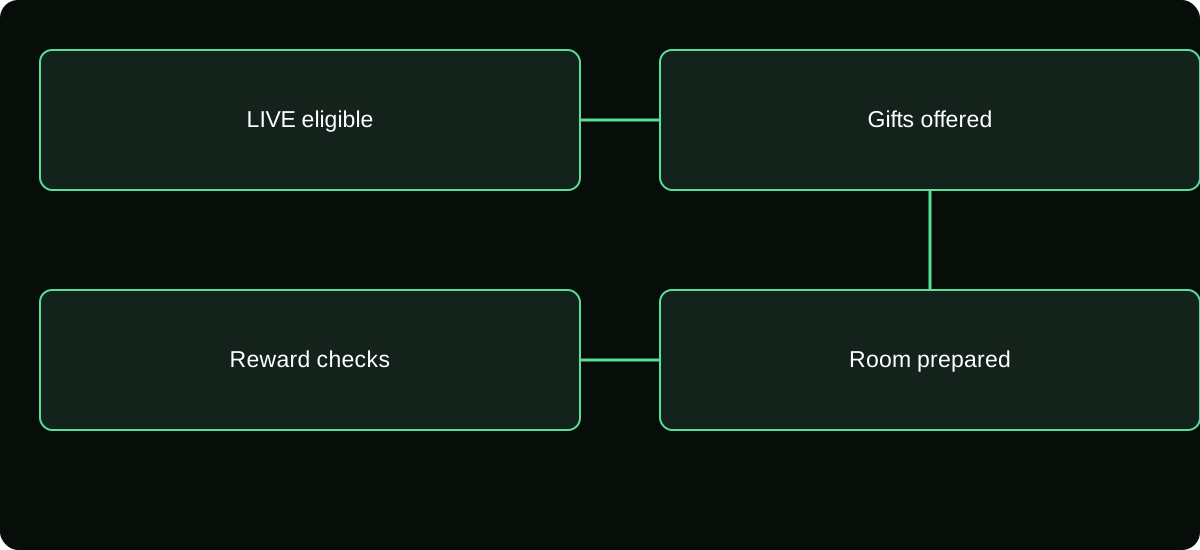
Check your account’s current LIVE and Gift eligibility, open the available LIVE setup, and enable LIVE Gifts in its settings if offered. Review reward and payout requirements separately; being able to broadcast does not prove every monetization feature is enabled.
Check the feature rather than a copied eligibility list
Review the requirements presented by TikTok for your account and location. Age, country availability, account standing, LIVE access, and feature-specific conditions can apply. A follower count copied from another country is not a universal approval rule.
Start by confirming that the profile can legitimately go LIVE. Then inspect whether LIVE Gifts is offered. These are related but separate checks. Passing one does not mean you should promise the audience that every Gift feature is ready.
Use accurate account details. Buying followers, falsifying age, or paying someone to “activate” monetization does not establish compliance. If a restriction exists, use the reason and review route TikTok actually provides rather than seeking a workaround from a stranger.
Open LIVE setup and find the offered Gift setting
Use the create or LIVE entry available in your app, select the broadcasting mode your account supports, and inspect its settings. Where the LIVE Gifts option appears, review and enable it before starting the intended session.
The exact screen arrangement can differ. Do not assume the absence of one screenshot's toggle means an account-wide technical failure. Confirm the current mode and consult the feature help from TikTok's own interface.
Before beginning, review other settings that affect the room experience: comments, moderation, guests, and any visible content restrictions. These do not substitute for Gift eligibility, but they help ensure that the room behaves as you expect once viewers join.
Prepare reward information before discussing income
Find the creator reward area through the account's Balance and LIVE rewards information. Review any required setup, identity, and payment conditions. Do not confuse a viewer recharge control with your creator payment configuration.
You may be able to receive activity or see metrics before all payment questions are settled. Confirm what the account actually requires and which amounts, if any, become available to request.
Do not advertise a fixed income for each Coin or Gift while setting up. The platform's creator records and applicable reward terms govern that question. A viewer's retail recharge price cannot verify your future payout.
Test the room without manufacturing transactions
You can inspect the setup, preview the stream where supported, check audio and video, and confirm the available Gift controls. You do not need to create reciprocal gifting, ask viewers to spend as a diagnostic, or move money through an outside service.
If a trusted adult viewer voluntarily reports what controls they can see, treat that as one observation about their account. It does not establish worldwide availability or replace your own creator setting.
After a genuine session, inspect the summary and reward records offered. Record what appeared and when. A visible Gift animation, a session metric, and a monetary reward remain distinct observations even during an initial setup check.
Give moderators a clear payment-safety role
| Room issue | Moderator action |
|---|---|
| Recharge seller posts a private payment link | Remove and report under the applicable tools and rules |
| Fake support asks for a viewer login code | Tell viewers not to disclose it and direct them to official help |
| Someone disputes a payment in chat | Avoid collecting private receipts publicly; point to the correct support route |
| Sender claims a Gift buys guaranteed treatment | Keep the feature's actual limits and your content promise clear |
Use moderation tools responsibly and keep account permissions proportionate. A person helping with comments does not automatically need access to identity documents or payout settings.
If you use overlays or automated speech, understand what they can display or say. An external alert should not be mistaken for official evidence of a Gift or settled revenue.
Explain optional support without misleading the audience
Use a short, truthful statement about Gifts as an optional way to support the content. Keep normal participation available and avoid repeated pressure. Do not make viewers responsible for a personal crisis or a promised outcome you cannot substantiate.
If you describe a goal, make its meaning clear and do not invent urgency. Review TikTok's current LIVE monetization and Gift-baiting guidance before adding rewards or incentives tied to spending.
Avoid unverified paid-entry contests or claims that a Gift guarantees a financial return. The existence of a Gift control does not authorize every promotion or relationship you could attach to it.
Diagnose a missing Gift option by scope
Ask whether the issue is a missing LIVE entry, a missing Gift setting, a disabled control with a reason, or a viewer-specific problem after you start. These require different investigations.
Check your current app version and account notices, but do not assume software updates override eligibility. If the platform supplies an appeal or verification action, use the legitimate route and retain its status.
For a room-level issue, provide support with the profile, approximate session time, mode used, and exact missing or disabled control. For a viewer payment issue, that viewer's purchase evidence belongs with their own account and billing provider, not your personal inbox.
Keep a first-session readiness record
Record the account, date, mode, visible Gift setting, moderation arrangement, and location of reward information. After the session, add what the platform actually showed and any issue requiring follow-up.
This record gives you a useful baseline for later changes. If the feature disappears after an update or account notice, you can describe when and where it last worked instead of relying on a vague memory.
Do not claim a successful configuration means payout approval is complete. Keep payment verification and actual receipt as later steps where applicable. The readiness outcome is an eligible room with the intended settings, a prepared audience experience, and a known way to check records—not a guaranteed amount of revenue.
Prepare a truthful answer for the first viewer question
Before starting, decide how you will respond if someone asks what their Gift pays you. Explain the optional feature without promising an exact conversion you cannot verify. You can acknowledge appreciation while keeping the financial interpretation tied to your actual reward records.
Also prepare the response to a missing purchase: viewers should retain their own receipt and contact the correct support route. Collecting their payment details in your creator inbox is not part of enabling LIVE Gifts. Having these answers ready prevents a simple setup session from creating incorrect payout promises or unnecessary private-data handling.
Frequently asked questions
Can I enable video Gifts with the same switch?
Do not assume so. Gifts on posted videos and LIVE Gifts are distinct feature contexts and can have different requirements and settings.
Should I change my whole account category solely to copy another creator’s setting?
Do not assume another account’s configuration will grant the same access. Review the consequences and eligibility in TikTok’s own current guidance before making an account-level change.
What should I document before updating the app to troubleshoot setup?
Save the account, app version, exact missing control, notice, and approximate time. A before-and-after record helps distinguish an interface change from a separate eligibility decision.
Sources and scope
- TikTok Help — LIVE Gifts
- TikTok Help — Diamonds and LIVE rewards
- TikTok — LIVE Monetization Guidelines